
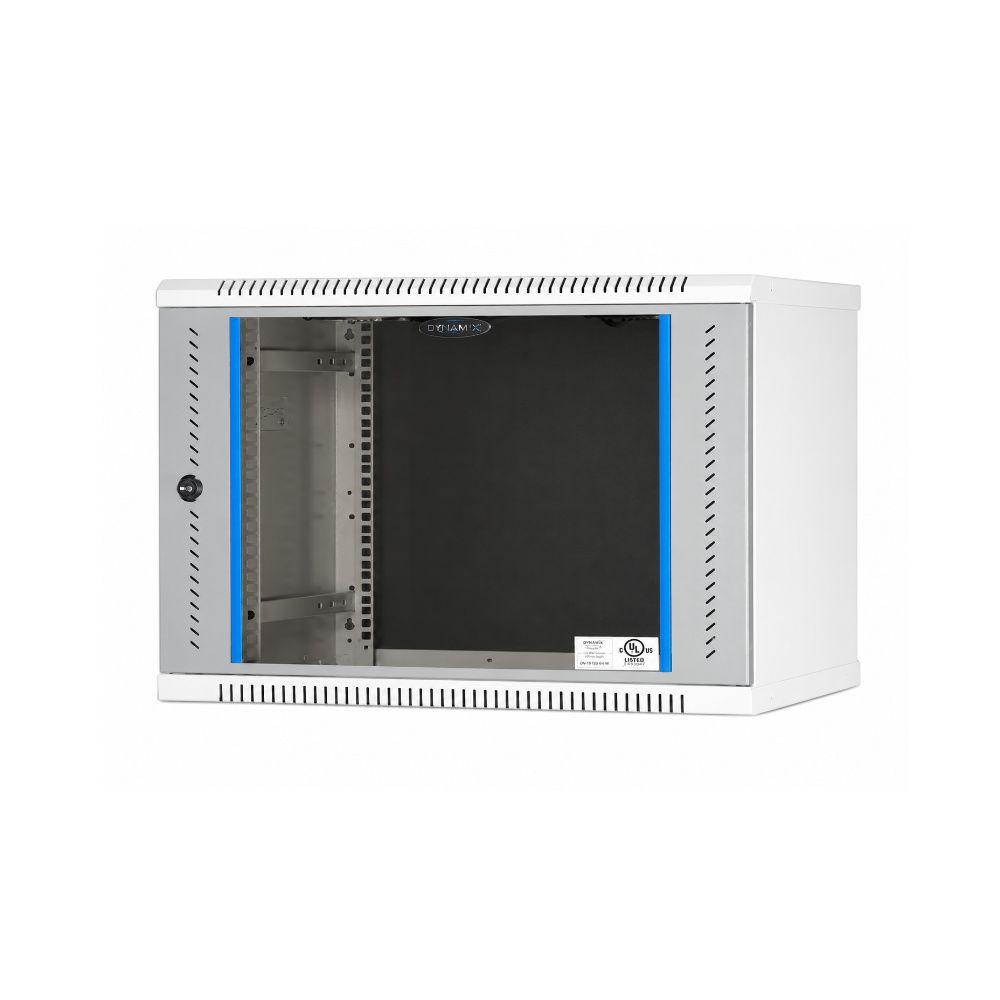
Rack size is one of those decisions that looks trivial at quoting stage and becomes expensive eighteen months later. Order too small and the next switch has nowhere to go. Order too deep and it will not fit the corridor you planned to mount it in. This guide covers how rack space is measured, how to work out the size you need, and the two dimensions people forget.
What a rack unit actually is
Rack space is counted in rack units, written as U. One U is 1.75 inches, or 44.45 mm, of vertical mounting height. A 9U rack gives you nine of those slots.
The mounting width is a 19-inch standard shared by essentially all network equipment, so width is rarely the variable. What changes between racks is height, measured in U, and depth, measured in millimetres.
Equipment is rated in the same unit, which makes the arithmetic straightforward:
- Patch panel, 24-port: 1U
- Network switch: 1U for most access switches
- Horizontal cable manager: 1U or 2U
- NVR or DVR: 1U to 2U
- Small rackmount UPS: 1U to 2U
- Fiber LIU: 1U
- PDU: 1U horizontal, or vertical consuming no U at all
Working out the size you need
Add the U height of everything going in, then apply two adjustments most people skip.
Adjustment 1 — cable managers
Put a horizontal cable manager between each patch panel and its switch. Skipping them is the single most common reason a rack becomes unworkable: patch cords bend past their radius, cords from different panels tangle together, and tracing one link a year later means disturbing thirty others.
Adjustment 2 — growth
Add 30 to 40 per cent. A rack filled to capacity on commissioning day has nowhere to accommodate the access point controller, the second switch or the additional patch panel that follows the first office expansion.
A worked example
A typical 24-outlet office:
- 24-port patch panel — 1U
- 24-port switch — 1U
- Cable manager above and below the panel — 2U
- NVR for the CCTV system — 2U
- Rackmount UPS — 2U
That comes to 8U. A 9U rack fits it with a slot spare, which is why 9U wall-mount racks are the size we supply most often for offices of this scale.
Depth — the dimension people get wrong
Wall-mount racks commonly come in 400, 450, 500 and 600 mm depths. Switches and patch panels are shallow and fit anything. The problems start with the other equipment.
An NVR, a rackmount UPS or a small server can need 500 mm or more once you allow for the power cable, the network cable and their bend radius behind the chassis. A rack chosen on front-panel dimensions alone will not close.
The rule: measure the deepest device you plan to mount, add roughly 100 mm for cabling behind it, and pick the rack depth from that number.
Wall-mount or floor-standing
Wall-mount racks make sense up to around 15U. Above that, two things push you toward a floor-standing cabinet: the load a wall bracket can safely carry, and the depth that servers and larger UPS units demand.
- 4U to 6U: a single switch and patch panel — small office, retail counter, clinic
- 9U: the common office size — panel, switch, NVR, UPS, cable management
- 12U to 15U: multi-floor structured cabling, or CCTV plus data on one rack
- 18U and above: floor-standing, server rooms and data closets
Power inside the cabinet
A PDU gives controlled, individually accessible outlets mounted inside the rack, instead of a domestic power strip lying on the cabinet floor with cables draped over the equipment. It also makes it possible to power-cycle one device without groping behind a live rack.
A 6-socket PDU covers a typical wall-mount rack. Count your devices first: switch, NVR, UPS bypass, media converter and any spare all need an outlet.
Heat
A closed cabinet containing a PoE switch, an NVR and a UPS will run warm. A 16-port PoE switch delivering 170 W to cameras is dissipating a meaningful amount of that as heat inside a sealed box.
Plan for a fan unit, keep the front and rear clear, and avoid mounting the rack in a cupboard with no ventilation — a decision that seems tidy on the day and shortens equipment life quietly thereafter.
Cable management is not optional
Beyond the horizontal managers between panels, three habits keep a rack maintainable:
- Use the shortest patch cord that reaches — our 1 metre and 2 metre factory-terminated cords cover most rack runs
- Label both ends of every link, at the panel and at the outlet
- Leave the front of the rack traceable — if you cannot follow a cord by eye, neither can the person fixing it at 9pm
A 2U horizontal cable manager between panel and switch handles the density of a 24-port panel comfortably.
A checklist before you order
- List every device going in, with its U height
- Add 1U to 2U of cable management per panel-and-switch pair
- Add 30 to 40 per cent for growth
- Measure the deepest device, add 100 mm, choose the depth
- Count outlets needed and size the PDU
- Decide wall-mount or floor-standing from the total U and the load
- Plan ventilation before the cabinet goes on the wall
We can size it for you
Send us the equipment list you plan to mount — switch, patch panel, NVR, UPS, anything else — and we will work out the rack size, depth, cable management and PDU rather than leaving you to guess at a U count.
Star Networking Services has supplied networking infrastructure in Chennai since 1998, across more than 300 projects for IT companies, hospitals, factories and offices.
See our racks, cable managers and PDUs, or send your requirement for a quote. If you are specifying the cabling at the same time, our Cat6 cable and patch panel and connector pages cover the rest of the channel.